
Before/after video ads

Two photos. One before-and-after ad.

Transition mode takes a first frame and a last frame and creates the motion between them. It is the classic before and after reveal, without filming the change.

  • First frame → last frame
  • Skincare, cleaning, home, fitness
  • 9:16 vertical
  • MP4 export
TransitionTwo photos, one reveal: muddy sneakers to clean
Made with AdVideoLab

Before and after ads from two photos

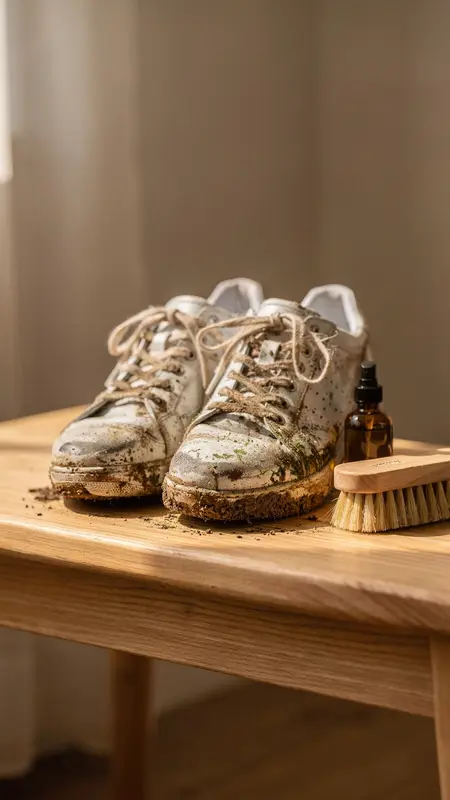
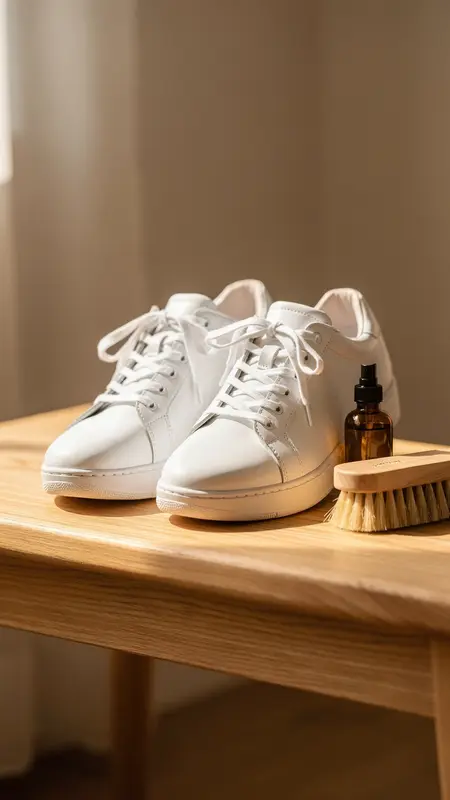
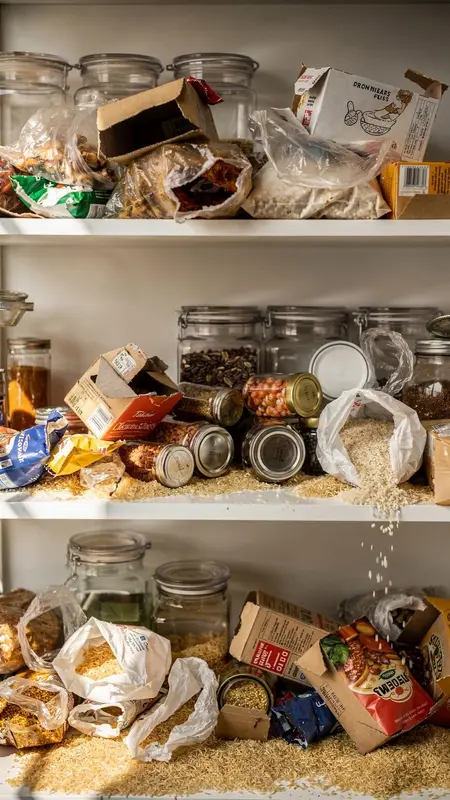
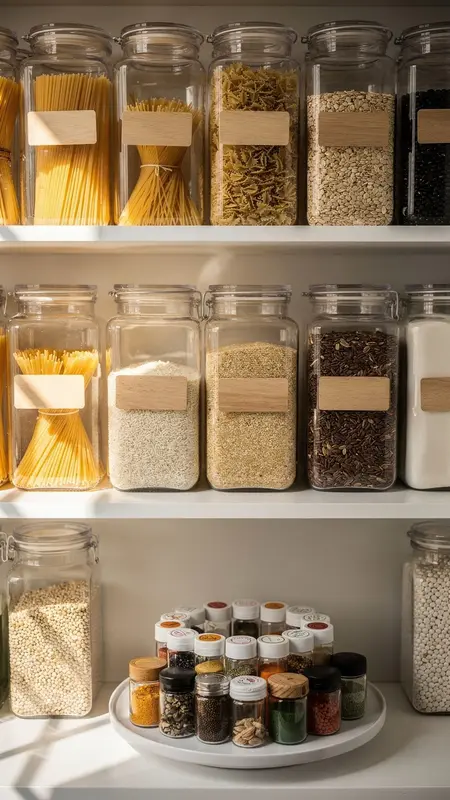
Each video below was made from exactly two stills: the first frame and the last frame, shown underneath. Transition mode creates the motion in between.

Sneaker cleanerTransition
First frame: Sneaker cleaner
First frame
Last frame: Sneaker cleaner
Last frame
Pantry organiserTransition
First frame: Pantry organiser
First frame
Last frame: Pantry organiser
Last frame
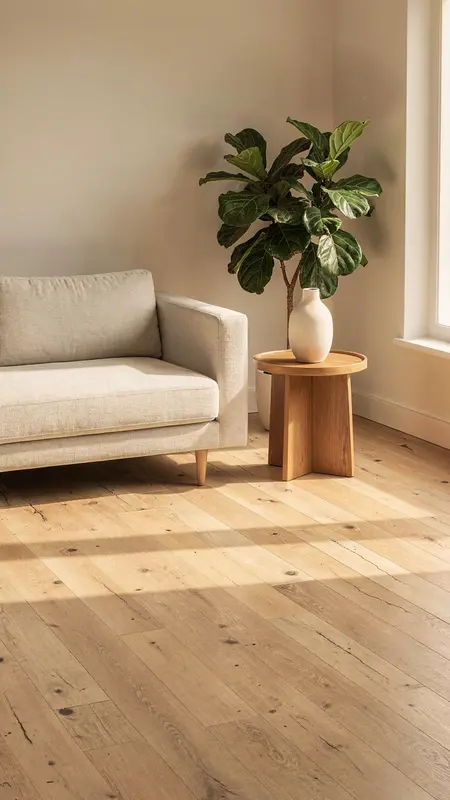
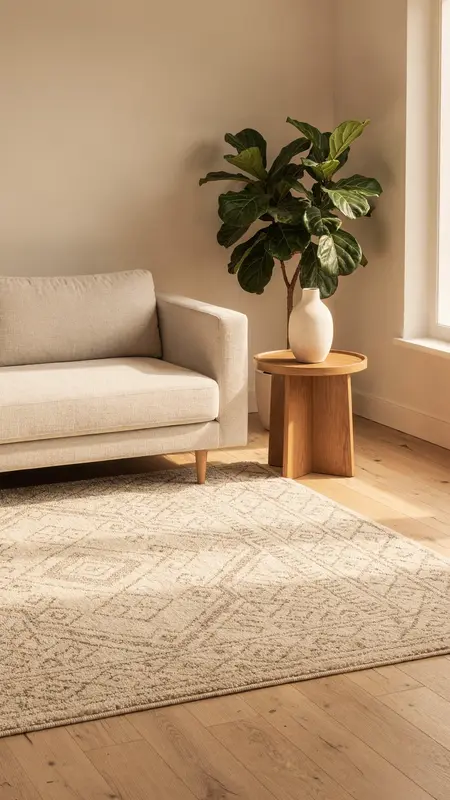
Wool rugTransition
First frame: Wool rug
First frame
Last frame: Wool rug
Last frame

Each video was made from the two stills shown under it, with no filming. These examples are silent.

Why before/after is hard to film

The transformation is the ad, and it is the hardest thing to film

  1. 01

    You can’t film the “before” twice

    Once the stain is gone or the room is tidy, the before state is gone with it. A reshoot means starting over.

  2. 02

    Real transformations take weeks

    Skincare, fitness and home projects unfold over time; a two-frame edit is the only honest way to show the span.

  3. 03

    Cuts feel cheap, morphs feel expensive

    A hard cut between two photos reads as a slideshow. A smooth reveal usually needs a motion designer.

How it works

From two frames to a reveal

  1. 1

    Upload the before frame

    The starting image. It works best with the same subject and framing as the after photo.

  2. 2

    Upload the after frame

    The end state. Transition mode generates the motion that connects the two.

  3. 3

    Describe the reveal

    Tell the model how the change should happen, say a wipe, a fade or a hand coming into frame, or let Write with AI suggest it.

  4. 4

    Render and export

    Pick 9:16 for TikTok, Reels and Shorts and download the MP4.

The before and after guide

How to make a before and after video that looks real

A before and after is the most persuasive ad format there is, because the viewer sees the result instead of hearing about it. It's also one of the hardest to film: you need the "before" and the "after" in the same place, with the same light, and something interesting happening in between.

Transition mode solves the filming part. You upload two photos, the start and the end, and describe how the change happens. The model makes the motion between them.

Getting the two photos right

The single biggest factor is how well your two photos match.

Match thisWhy
Camera angle and heightOtherwise the video "jumps" instead of transforming
Framing and cropThe same objects should sit in the same places
Lighting and time of dayA change in light reads as a cut, not a change
Background and propsOnly the thing that changes should change

The easiest way: put your phone on a stand, take the "before", make the change, take the "after" without moving the phone. If you don't have a real before, some brands start from their "after" product photo and create a before version in an image editor, keeping everything else identical.

Describing the change

The motion is up to you. Tell the model what should happen between the frames:

StyleBrief wordingGood for
Hands at work"A hand with a brush scrubs the shoes clean"Cleaning products, tools
Time-lapse"The shelf tidies itself row by row, fast"Organising, home
Reveal"A rolled rug unrolls across the floor"Decor, furniture
Gradual change"The skin slowly evens out in soft daylight"Beauty (keep it honest)

Stay honest

A before and after is a claim. If your product doesn't produce the result on screen, don't show it. Platforms and advertising rules are especially strict about before and after images for health, beauty and weight loss. Use your own real results, and read the ad policy for your category before you run it.

Where before and after ads work best

CategoryBeforeAfter
CleaningStained, dusty, muddySpotless
Home and organisingCluttered shelf, bare roomTidy, finished room
Car careDull paint, dirty interiorGloss, clean seats
GardenOvergrown patioClean and planted
FashionPlain outfitStyled with the product
What you get

A reveal built from your own two photos

Transition mode
Upload a first and a last frame; the model fills the morph between them. Both frames are yours, so the result is your product and your outcome.
Works across categories
Skincare routines, cleaning products, home organisation, meal prep, fitness progress. Anything with a clear start and a clear end.
Vertical by default
Render 9:16 for short-form feeds, or 1:1 and 16:9 for other placements.
Motion you describe
Tell the model how the change happens, like a wipe, a fade or a hand coming into frame, and it creates that motion between your two photos.
Refund on failure
If a render fails, the credits come back on their own. You only pay for finished video.
Pricing at a glance

Pay per second of finished video. No free tier.

Full pricing

Trial Pass · one-time

$3.99

170 credits · 480p, watermarked

Starter · monthly

$55

1,000 credits / month

Growth · monthly

$149

3,000 credits / month

Scale · monthly

$449

10,000 credits / month

Seedance 2.0: 480p 10 cr/s · 720p 22 cr/s · 1080p 37 cr/s (up to 15s). Seedance 2.5: 480p 13 cr/s · 720p 28 cr/s (up to 30s).

FAQ

Before/after video ads: common questions

Do the two photos need to match?

They should show the same subject from a similar angle and framing. That is what makes it look like one continuous change rather than two unrelated shots.

Can I add a person to the before/after?

Transition mode is driven by your two frames, so a person appears only if they are in your photos. If they are, our Terms require you to hold the rights and consents for that likeness. For a creator on camera, use UGC mode instead.

Is a before/after claim allowed in ads?

That depends on the platform’s rules and the advertising rules where you sell, because you are the publisher of what you make. Keep the frames truthful and check the ad policy for your category. Health and beauty are often stricter.

How long can the videos be?

Videos run 4 to 15 seconds on Seedance 2.0 (up to 1080p SR) or 4 to 30 seconds on Seedance 2.5 (480p or 720p). Pick the tier per render on the Generate page.

How much does it cost?

Plans are credit-based and self-serve: Starter $55/month for 1,000 credits, Growth $149 for 3,000, Scale $449 for 10,000. There is no free version, but a one-time $3.99 Trial Pass (170 credits) lets you see a real video first. Credits are charged per second of finished video. On Seedance 2.0, 480p costs 10 credits/second, 720p 22 and 1080p 37; on Seedance 2.5, 480p is 13 and 720p 28. A 10-second 480p ad on Seedance 2.0 is 100 credits.

What do I need to upload?

One product photo: JPG, PNG, WebP, AVIF or HEIC, up to 25 MB. Transition mode takes a first and a last frame, and Reference mode takes a set of images. Photos straight from a phone are converted for you.

Show the change, not a slideshow

Upload a before and an after, describe the reveal, and export a short-form ad.